
Digital Watchdog - DW-SPECTRUMLSC010 - Ten Spectrum IPVMS License
Product Overview
The Digital Watchdog DW-SPECTRUMLSC010 is a 10-channel license pack for the DW Spectrum® IPVMS platform, designed to provide scalable, high-performance video management. This license enables recording for ten IP cameras or encoder channels and features a user-friendly "one-time cost" model. Known for its industry-leading flexibility, the software offers a fully transferable license structure, allowing users to move entitlements between different hardware devices as their system evolves.
Key Configuration
- • License quantity: 10 DW Spectrum IPVMS recording licenses
- • License type: one-time charge, fully transferable between cameras and encoders
- • Renewal: no annual maintenance fees, lifetime upgrades included
- • Supported compression: H.265, H.264, MJPEG, MPEG4
- • Network connection: 1000 Mbps, ONVIF conformant, protocols: Static, DHCP, wireless
Key Features
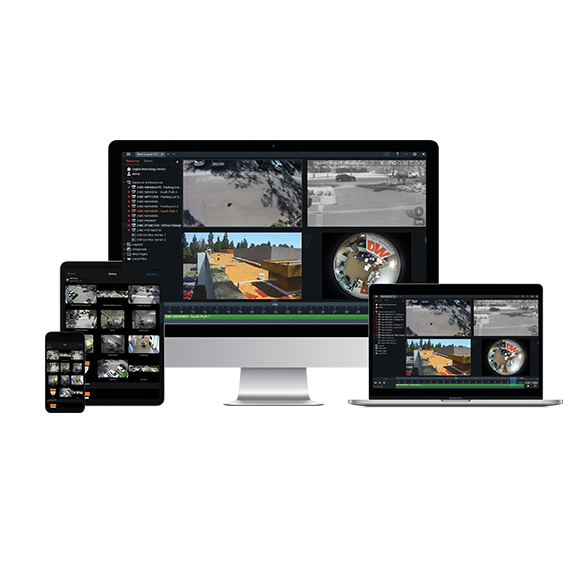
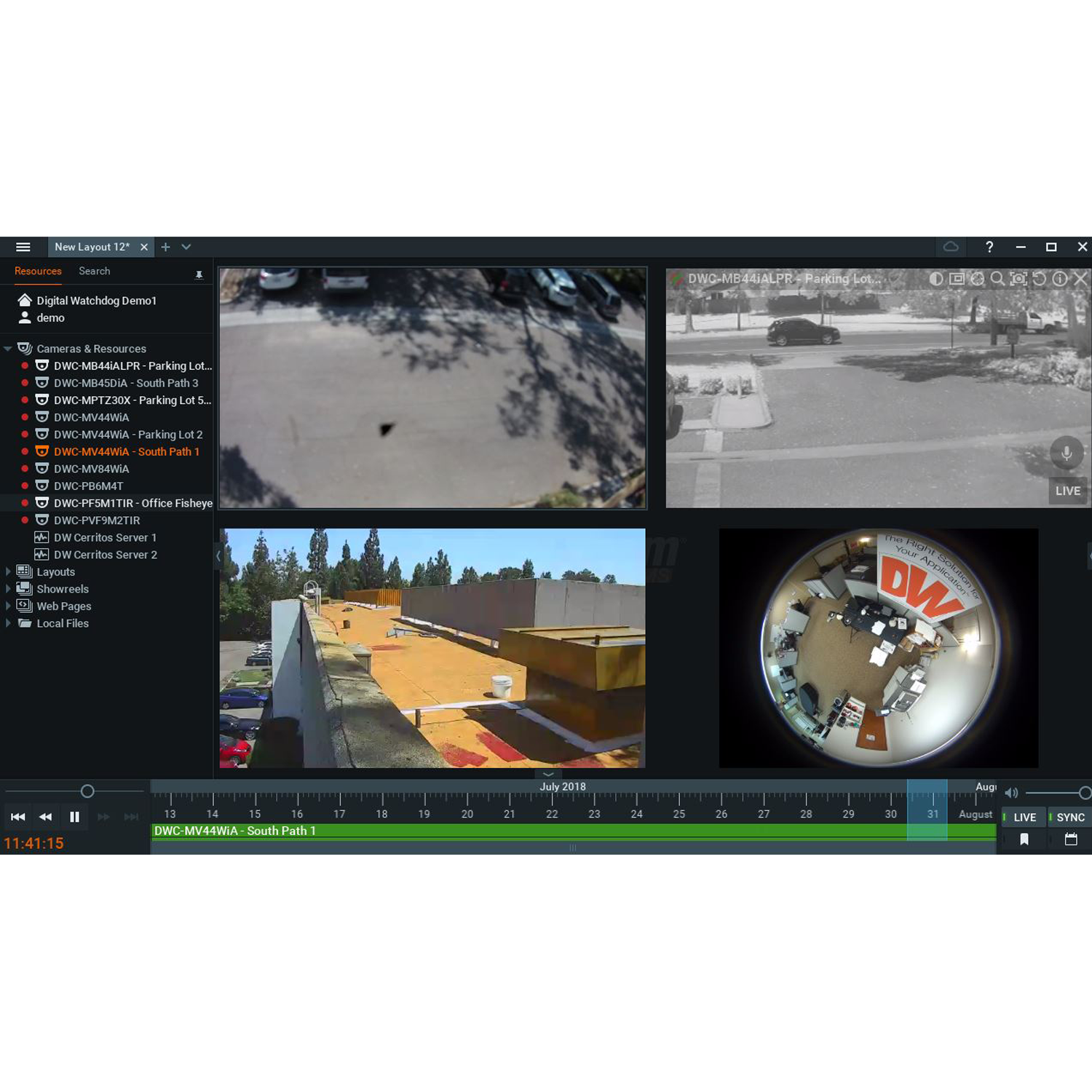
This enterprise-grade software includes Server Hive Architecture for seamless failover and a powerful Event Rules Engine that supports HTTP actions and text-to-speech notifications. Users benefit from advanced forensic tools like Smart Motion Search, universal fisheye dewarping, and a built-in Chromium browser. The system integrates deeply with third-party platforms such as Control4® and provides a centralized Health Monitor for real-time system diagnostics.
Technical Context
DW Spectrum supports multiple recording modes, including Motion + Low Res for storage efficiency, and features dual-stream RTSP/HTTP recording. Management is streamlined through IP camera auto-discovery, I/O device support, and the ability to upgrade camera firmware directly through the VMS. Robust search capabilities, including calendar, bookmark, and preview search, allow for rapid footage retrieval, while secure export options include custom watermarking.
Installation Notes
The platform offers true cross-platform versatility, with server support for Windows and Linux, and client access for Windows, Linux, and Mac. Mobile access is provided via dedicated iOS and Android apps, featuring low-latency streaming and push notifications, ensuring complete system control from any location.
| Network | |
|---|---|
| IP protocols | Static, DHCP, wireless |
| Mobile applications | Apple iOS devices: iPad, iPad mini, iPhone, iPod Android devices: all smartphones and tablets |
| OnVIF conformant | Yes |
| Network connection | 1000 Mbps |
| Performance | |
| Camera image control | Brightness, contrast, saturation, hue, 3D-DNR, WDR, camera firmware upgrade and reboot |
| Firmware upgrade | USB drive, network upgrade, FTP remote upgrade |
| Recording mode | Continuous, motion recording, motion recording + low resolution always |
| Search modes | Instant motion-based smart search, advanced thumbnail search, calendar search, preview search, frame-by-frame search |
| Special features | Fully customizable layouts, easy drag-n-drop camera management and recording |
| Compression type | H.265, H.264, MJPEG, MPEG4 |
| Pre-alarm recording | yes |
| External export devices | Micro SD card, USB drive, USB HDD |
| Video | |
| Dual-stream recording | Yes |
| Operating system | Linux®, Windows®, iOS Mac® Client, Apple and Android mobile clients |
| Maximum recommended elements in a single system | |
| Maximum recommended servers in a system | 100 |
| Maximum recommended resources in a system | 10,000 |
| Maximum recommended users in a system | 1000 |
| Maximum MEGApix® CaaS™ all-in-one edge cameras | 30 cameras (all in the same local network, using MEGApix CaaS cameras only). |
| Maximum Blackjack® DW-BJMINI in a system | 5 (all in same local network). |
| Note on maximums | The maximums above are based on lab testing results and could vary significantly based on a project’s real-world environment. |
| Minimum Operating system | |
| Microsoft Windows OS | Microsoft Windows is supported by both DW Spectrum® Server and Client. • Windows 8 – Released: October 2012 | EoS: 01/2023 • Windows 8.1 – Released: October 2013 | EoS: 01/2023 • Windows 10 – Released: July 2015 • Windows Server 2012 – Released: August 2012 | EoS: 10/2023 • Windows Server 2012 R2 – Released: October 2013 | EoS: 10/2023 • Windows Server 2016 – Released: October 2016 | EoS: 01/2027 • Windows Server 2019 – Released: October 2018 | EoS: 01/2029 NOTE: DW Spectrum IPVMS for Windows can be installed as a software bundle or the Server and Client software can be installed separately. |
| Ubuntu (Debian-based Linux) OS | Ubuntu/Linux is supported by both DW Spectrum Server and Client. • Ubuntu 16.04 LTS "Xenial Xerus" – Released: April 2016 | EoS: 04/2024 • Ubuntu 18.04 LTS "Bionic Beaver" – Released: April 2018 | EoS: 04/2028 NOTE: DW Spectrum IPVMS for Ubuntu is only available for separate installations (not bundled). |
| Macintosh OS | macOS is supported only by the DW Spectrum Client. DW Spectrum Server is not available for macOS. • macOS 10.14 "Mojave" – Released: September 2018 • macOS 10.15 "Catalina" – Released: October 2019 • macOS 11.0, 11.1, 11.2 "Big Sur" – Released: November 2020 NOTE: DW Spectrum IPVMS for macOS is only supported by the DW Spectrum Client. |
| Minimum Recommended | |
| Processor | Intel® Core i3® 4th gen processor (or higher) [Minimum] Intel® Core i5® 4th gen processor (or higher) [Recommended] |
| System RAM | 4GB RAM [Minimum] 8GB RAM [Recommended] |
| Video card | Integrated Intel® graphics [Minimum] GeForce® GTX 480 video card [Recommended] |
| Network interface | 1 Gbps [Minimum] 1 Gbps [Recommended] |
| Hard disk space | 500GB HDD [Minimum] 256GB SSD [Recommended] |
