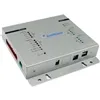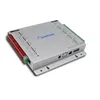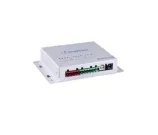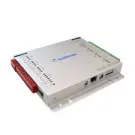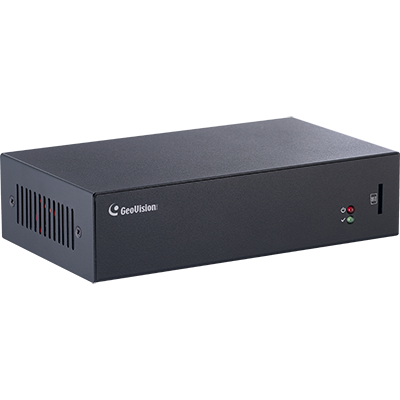
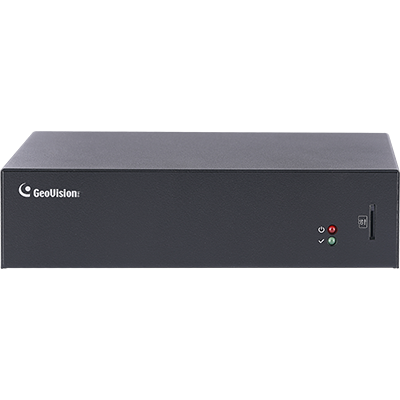
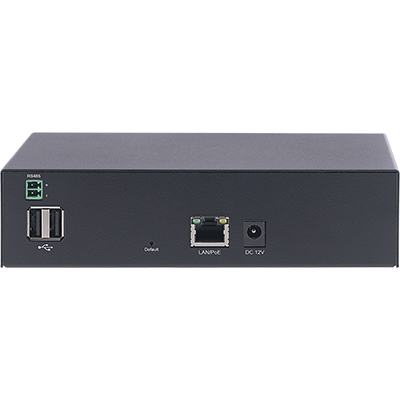
GeoVision - 89-CBPRO00-K010 - GV-Cloud Bridge pro without Adapter, without SSD stand pack
• Up to 8 ONVIF cameras
• Up to 4-ch People and Vehicle Detection (PVD)
• Connecting cameras to GV-Cloud VMS for cloud-based video monitoring
• Connecting access control devices to GV-Cloud Access Control for cloud-based access control
• 4-door and 8-reader access control
• Up to 8 readers can connect via a GV-Controller, or up to 8 GV-DFK1355 readers can connect
• Connecting cameras to GV-Center V2 for central monitoring
• Connecting cameras to the GV-Recording Server / Video Gateway for large-scale video recording and transmission
• Up to 16 IP devices supported with GV-VPN for a secure virtual private network
• Up to 8 virtual inputs are supported for event alerts and recording triggers on input detection
• Up to 8 virtual outputs supported for remote control via GV-Center V2 and GV-Eye
• Smartphone app support for live view and event alerts
• Live broadcasting on YouTube, Twitch, etc.
• Up to 8 GV-IP Speakers supported as audio outputs for camera channels
• Alarm output and audio alerts upon motion, AI event, or I/O input trigger
| Video | |
|---|---|
| Video Format | H.265, H.264 |
| Audio Format | G.711 |
| Network | |
| Interface | 10/100/1000 Ethernet |
| Protocol | DHCP, DNS, HTTP, ICMP, IPv4, NTP, RTMP, TCP/IP, UDP |
| Mechanical | |
| Connector | Power: DC jack (DC 12V, 3A), PoE+ (IEEE 802.3at) |
| Ethernet: RJ-45 | |
| RS-485: RS-485 +/- (for GV-DFK1355 readers) | |
| Memory Card Slot: microSD card (SDHC / SDXC / UHS-I, Class 10, Linux ext4 format) | |
| SSD (Optional): 2.5" SSD SATA 3 interface, max. 4 TB, Linux ext4 format *The SSD Mounting Kit is required to install a SSD. USB: Not functional LED Indicator: 2 LEDs: Power, Status | |
| General | |
| Operating Temperature | 0°C ~ 40°C (32°F ~ 104°F) |
| Humidity | 20% to 80% (no condensation) |
| Weather Resistance | Indoor use only |
| Power Source | 12V DC, 3A / PoE+ (IEEE 802.3at) *The device can only accept one power source, either a PoE power supply or a DC power adapter. Connecting two power sources simultaneously can damage the device. |
| Power Consumption | DC power adapter: 36 W (max. 3A at 12V DC) PoE power supply: 25 W (PoE+, IEEE 802.3at) |
| Dimensions (W x H x D) | 170.10 x 97.70 x 43.00 mm (6.7 x 3.8 x 1.7 in) |
| Net Weight | 688 g (1.52 lb) |
| Certification | CE, FCC, LVD, RCM, UKCA compliant |
| Operation | |
| Cloud VMS License | Basic / Standard License: 4 channels (SD card), 8 channels (SSD) Premium License: 4 channels (SD card), 8 channels (SSD) |
| GV-VPN | 8 mapping devices, a maximum of 80 Mbps |
| People and Vehicle Detection (PVD) | 8 channels |
| Mobile App | GV-Eye |
| Specifications | GV-AS Controller: 1 controller |
| GV-DFK1355 reader: 8 readers IP Camera: 8 cameras Database: 100,000 cards *Supports either up to eight readers or one controller | |
| Center V2 / Dispatch Server | 4 channels (SD card), 8 channels (SSD) |
| Recording Server / Video Gateway | 8 channels |
| RTMP | 2 channels for RTMP livestream |
| GV-VPN | 8 mapping devices, a maximum of 80 Mbps |
| People and Vehicle Detection (PVD) | 8 channels (only for GV-Center V2 AI version) |
| Mobile App | GV-Eye |
| GV-VPN Box | 16 mapping devices, a maximum of 80 Mbps |
| GV-Cloud Video Watch | 4 channels (SD card), 8 channels (SSD) |
| GV-VPN | 8 mapping devices, a maximum of 80 Mbps |
| People and Vehicle Detection (PVD) | 8 channels |
| Mobile App | GV-Eye |
| GV-IO Box (4E / 8E / 16E) | 4 units |
| Virtual I/O | 16 in / 16 out from cameras and GV-IO Box |
| GV-IP Speaker | 8 units |
| Event Trigger | |
| Event Type | Motion, PVD Motion, Intrusion, Enter Area, Leave Area, Loitering, I/O Input |
| Trigger Output | I/O Output, Audio Alarm |
| Management | |
| Installation Management | Web-based configuration |
| Browser Support | Chrome, Edge, Firefox, Safari |
| Access from Web Browser | Live View, Image Snapshot, Audio, Picture in Picture, Stats (Codec, Resolution, Audio, Bitrate, FPS, Client) |
| Language | English |
| Maintenance | Firmware upgrade through Web Browser or GV-IP Device Utility (V9.0.2.0 or later) |
| 3rd Party IP Camera Support | Yes (ONVIF) |
| Application | |
| Software Supported | See Compatible Products below. |
| Smart Device Access | See Mobile App in Compatible Products below. |

GV-Cloud Bridge Pro seamlessly integrates ONVIF and GV-IP cameras with GeoVision's software and mobile app, allowing for centralised management and cloud-based monitoring. Multiple software connectivity: GV-Cloud Bridge Pro supports various operation modes, including connecting a regular camera to GV-Cloud VMS for cloud-based monitoring, GV-Center V2 for central monitoring, and GV-Recording Server/Video Gateway for large-scale video recording and transmission. Furthermore, it enables a single controller or reader to connect to GV-Cloud Access Control for cloud-based access management. AI-powered monitoring and alarm reduction. Equipped with people and vehicle detection (PVD) functionality, GV-Cloud Bridge Pro minimises false alarms, enabling more accurate and efficient monitoring. Secure VPN connectivity: Establish a secure VPN (virtual private network) for devices within the same LAN, eliminating the complexities of port forwarding for enhanced security. Easy mobile access: Connect effortlessly to the GV-Eye mobile app by scanning a QR code to enable real-time remote access to live camera feeds from any location. Live broadcasting support. For organisations requiring live streaming capabilities, GV-Cloud Bridge Pro offers direct streaming to social media platforms such as YouTube and Twitch, providing versatile broadcasting options.