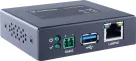
GeoVision - 84-CLBG000-0010 - GV-Cloud Bridge
Product Overview
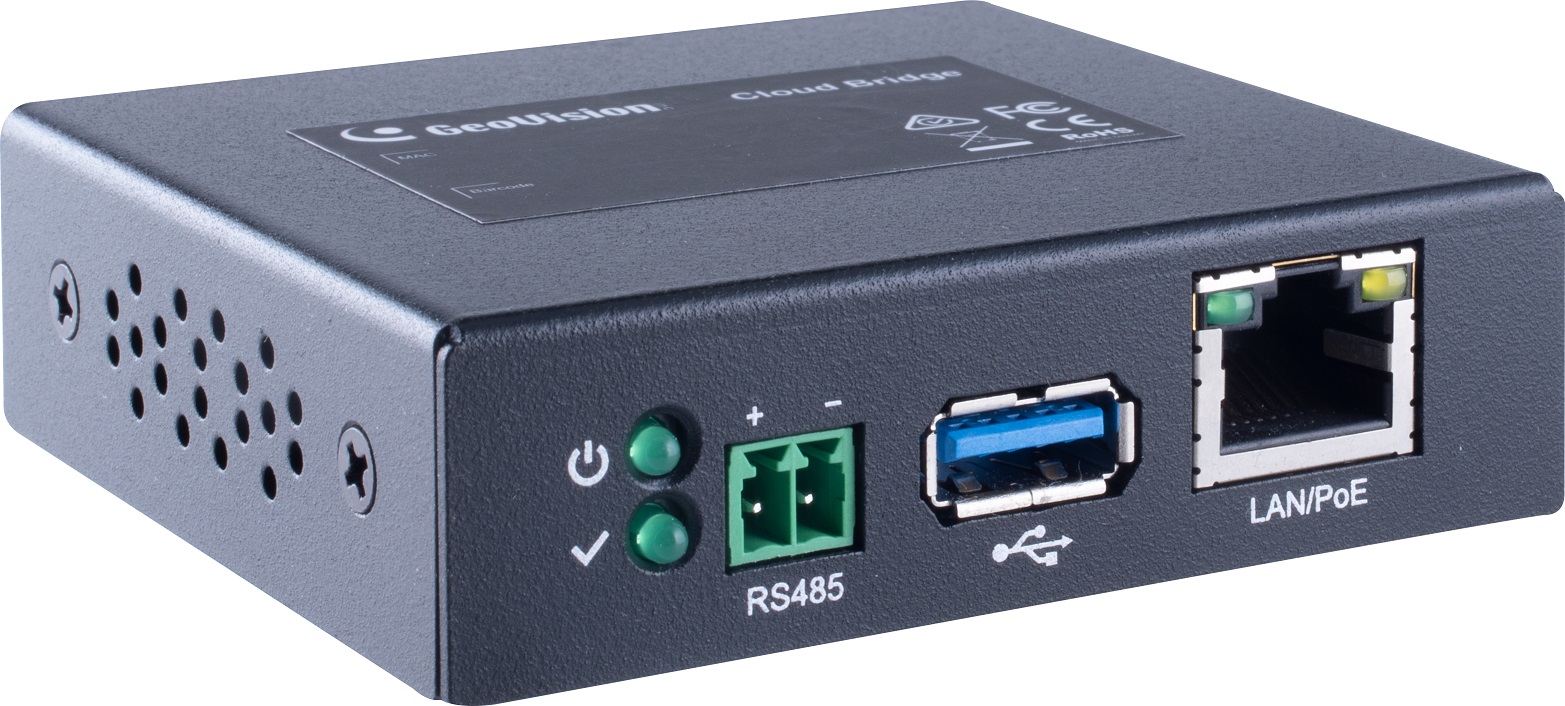
The GeoVision GV‑Cloud Bridge is an encoder gateway that connects up to 4 ONVIF or GV‑IP cameras to GeoVision software platforms including GV‑Center V2, GV‑Recording Server, and GV‑Cloud VMS, as well as the GV‑Eye mobile app via QR code. It supports H.265 and H.264 compression, RTMP streaming to social media platforms like YouTube and Twitch, PoE (802.3af) or 12V DC power, and USB storage up to 2TB for edge recording.
Key Configuration
• Maximum cameras: 4 (GV-Center V2 / GV-Recording Server / Video Gateway) / 4 (GV-Cloud VMS Basic/Standard)
• Video compression: H.265, H.264
• Audio compression: G.711
• Network: 10/100 Ethernet, PoE (IEEE 802.3af)
• Max streaming bitrate: 6 Mbps per channel
• USB: USB 2.0, max 2TB (FAT32/exFAT)
Key Features
The GV-Cloud Bridge is an encoder gateway that connects up to 4 ONVIF or GV‑IP cameras to central monitoring software, enabling integration with GV‑Center V2, GV‑Recording Server, and GV‑Cloud VMS. It supports RTMP streaming for live broadcasting to social media platforms such as YouTube and Twitch, and includes web‑based configuration with support for up to 32 user accounts.
Technical Context
The device provides up to 8 sensor inputs and 8 alarm outputs via connected cameras and up to 4 GV‑IO Box units for alarm system integration. GV‑VPN support allows up to 8 mapping devices with 15 Mbps total bandwidth for secure remote connections, while a USB port supports edge recording to local storage up to 2TB (FAT32/exFAT).
Installation Notes
Measures 77 × 22 × 70 mm and weighs 173g, operating from 0–60°C on 12V DC (1.25A) or PoE 802.3af with 7W consumption. It includes a QR code for quick connection to the GV‑Eye mobile app, requires the GV‑IP Device Utility for firmware updates, and carries CE, FCC, LVD, and RoHS certifications. Note: RS‑485 is not functional.
| Video | |
|---|---|
| Video Format | H.265, H.264 |
| Audio Format | G.711 |
| Network | |
| Interface | 10/100 Ethernet |
| Protocol | DHCP, DNS, HTTP, ICMP, IPv4, NTP, RTMP, TCP/IP, UDP |
| Mechanical | |
| Connector | Power: 2-pin terminal block |
| Ethernet: RJ-45 | |
| USB: USB 2.0, max 2 TB (FAT32 / exFAT) | |
| RS-485: Not functional LED Indicator: 2 LEDs: Power, Status | |
| General | |
| Environment Temperature | Start-up: 0°C ~ 60°C (32°F ~ 140°F) |
| Operation: 0°C ~ 60°C (32°F ~ 140°F) | |
| Humidity | 10% to 90% (no condensation) |
| Power Source | 12V DC, 1.25A / PoE (IEEE 802.3af) |
| Max. Power Consumption | 7 W |
| Dimensions | 77 x 22 x 70 mm (3.06" x 0.86" x 2.75") |
| Weight | 173 g (0.38 lb) |
| Certification | CE, FCC, LVD, RoHS compliant |
| Power over Ethernet | |
| PoE Standard | PoE (IEEE 802.3af) |
| PoE Power Supply Type | End-Span and Mid-Span |
| PoE Power Output | Per Port 48V DC, 320Ma, Max. 15.4 watts |
| Web Interface | |
| Installation Management | Web-based configuration |
| Maintenance | Firmware upgrade through GV-IP Device Utility |
| Access from Web Browser | Camera Live View, Image Snapshot, Audio, Picture in Picture, Stats (Codec, Resolution, Audio, Bitrate, FPS, Client) |
| Feature | |
| Max. Number of Cameras | GV-Cloud VMS Basic / Standard License: 4 Premium License: See Maximum Number of Channels / Frame Rate and Bitrate Supported by GV-Cloud VMS Premium License Plans section below (only applicable to V1.10 or later) |
| GV-Center V2 / GV-Recording Server / Video Gateway / RTMP Streaming GV-Center V2: 4 GV-Recording Server / Video Gateway: 4 RTMP streaming: 2 | |
| GV-VPN | 8 mapping devices, a total of max. 15 Mbps |
| Max. Streaming Bitrate | 6 Mbps each channel *For GV-Cloud VMS V1.10 or later, see Maximum Number of Channels / Frame Rate and Bitrate Supported by GV-Cloud VMS Premium License Plans section below. |
| Max. Number of GV-IO Box (4E / 8E / 16E) | 4 PCS |
| Max. Number of Virtual I/O | 8 in / 8 out from cameras and GV-IO Box |
| Max. Number of User Accounts | 32 |
| Language | English |
| Browser Supported | Chrome, Firefox, Safari, Mobile App |
| 3rd Party IP Camera Support | Yes (ONVIF) |
| Application | |
| Software Supported | GV-Recording Server / Video Gateway (V2.1.1 or later), GV-Cloud VMS (V1.0.0 or later), GV-Dispatch Server (V18.2.0A or later), GV-Center V2 (V18.4.1 or later), GV-VPN (V1.1.0 or later), GV-IP Device Utility (V8.9.4 or later) |
| Smart Device Access | GV-Eye for iOS and Android (V3.2.0 or later) |